Sip your coffee. See every building. Start the day with a plan.
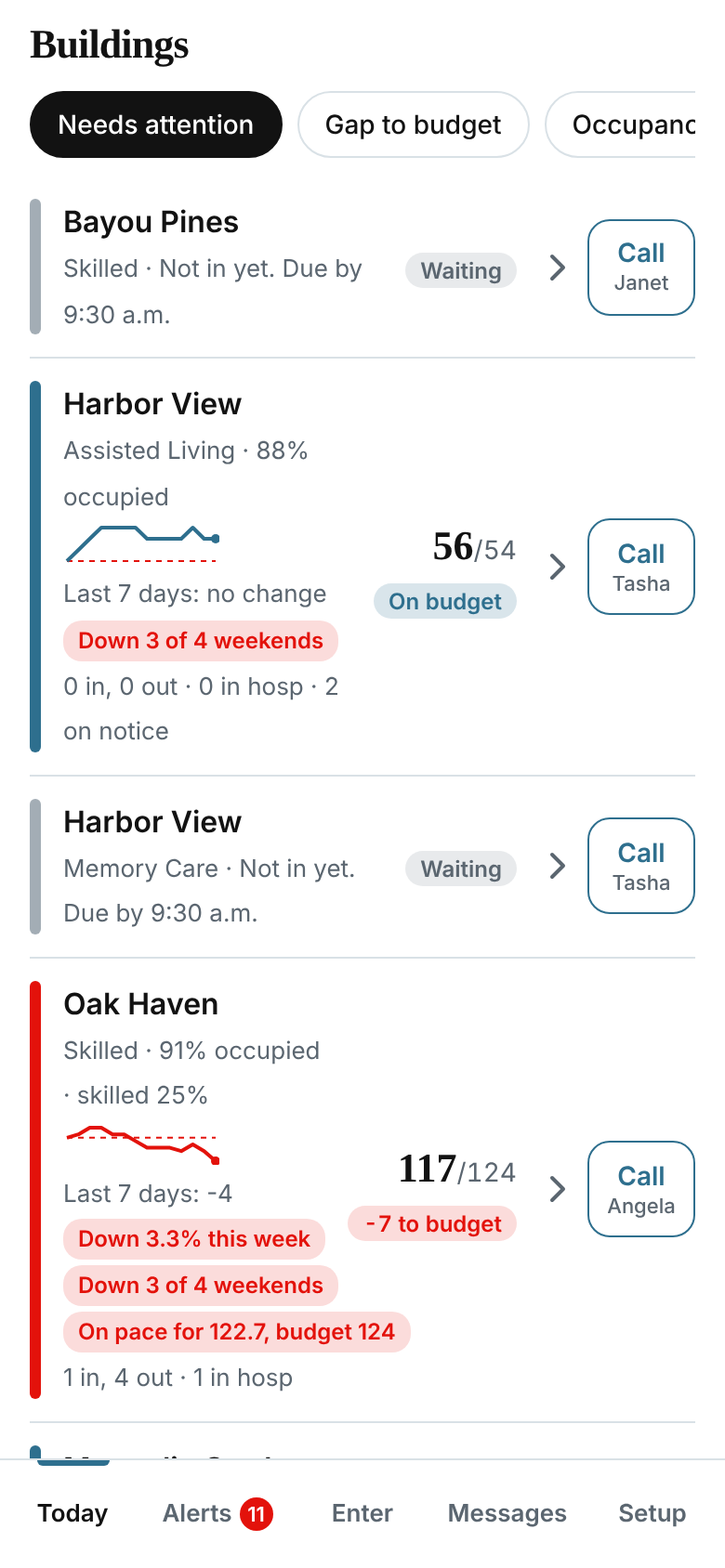
Every building's census, occupancy, ins and outs, and payer mix on your phone each morning. Budget against actual, every day. One tap to call the administrator.
Don't be busy analyzing census. Spend your time developing it.
Skip the enterprise system. No integration project, no sales call to find out the price, no expensive add-ons. Built for small and mid-sized operators, and ready for large ones.
Every building in one list, worst first, with a trend line and plain words: down 3% this week, sliding three days, losing census on weekends, on pace to miss the month.
The region's numbers arrive as a text at the time you choose. Open the app only when you want more.
Every building shows its administrator's name and number. Tap once to call or text.
How it works
1. The building enters totals
Admissions or the administrator taps in the changes since yesterday: admissions or move-ins, discharges or move-outs, hospital transfers and the count by payer. A building with assisted living and memory care fills in a short section for each. It takes a few minutes.
2. The regional gets the text
Once the buildings report, the regional gets one morning text with the region's census, the change since yesterday and anything that needs attention.
3. Everyone sees only what they're assigned
Each person is set up with a name, cell number, role and building, and signs in with a PIN. Building staff see only their building. Regionals see only their region. Executives see every building.
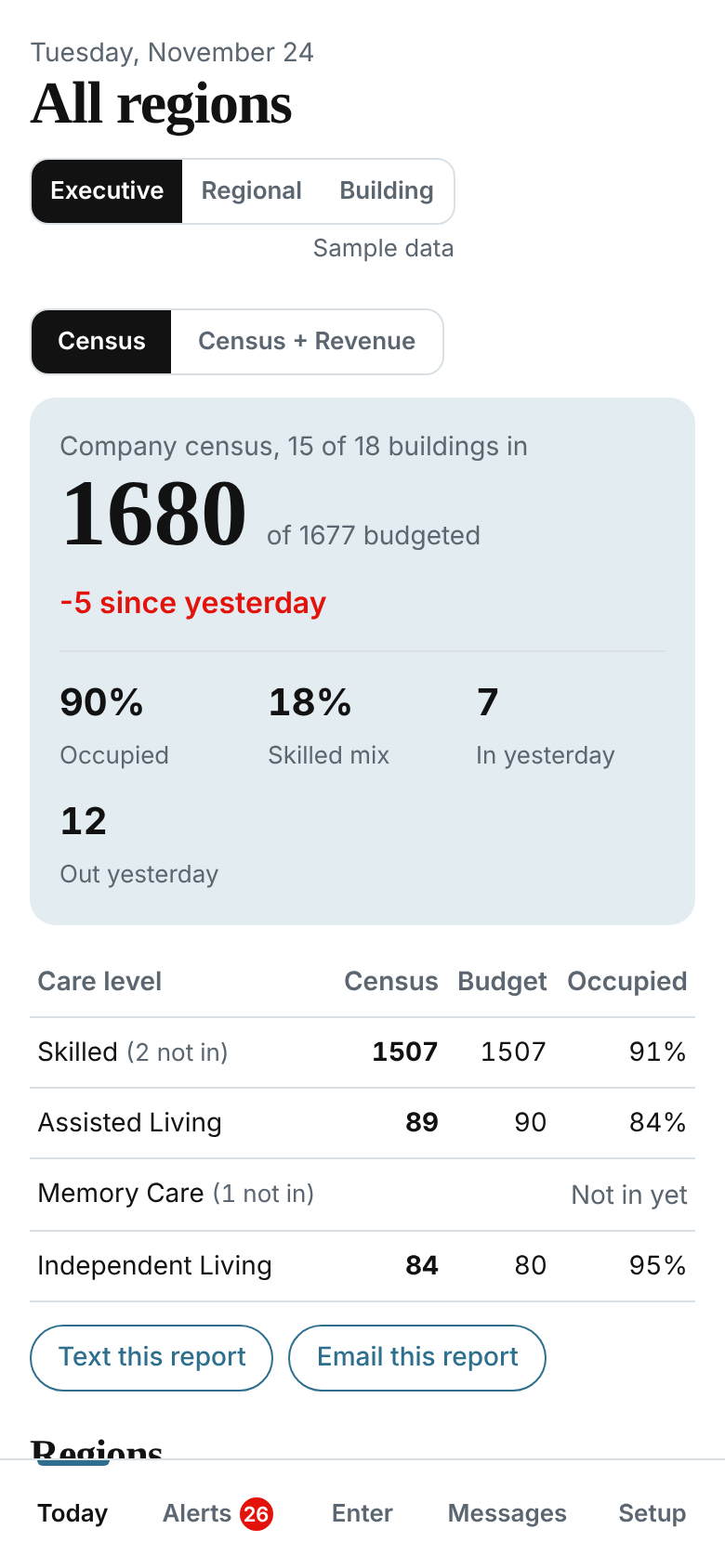
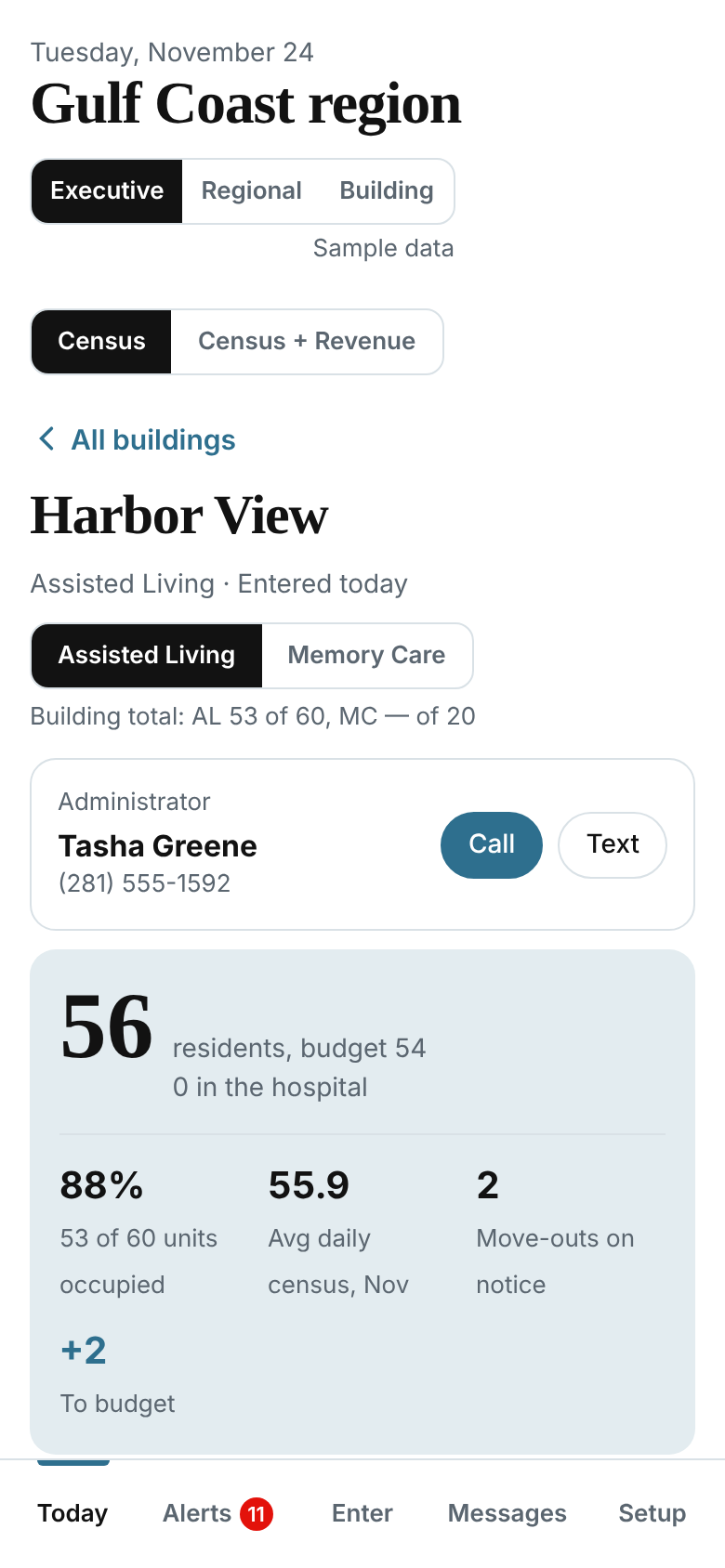
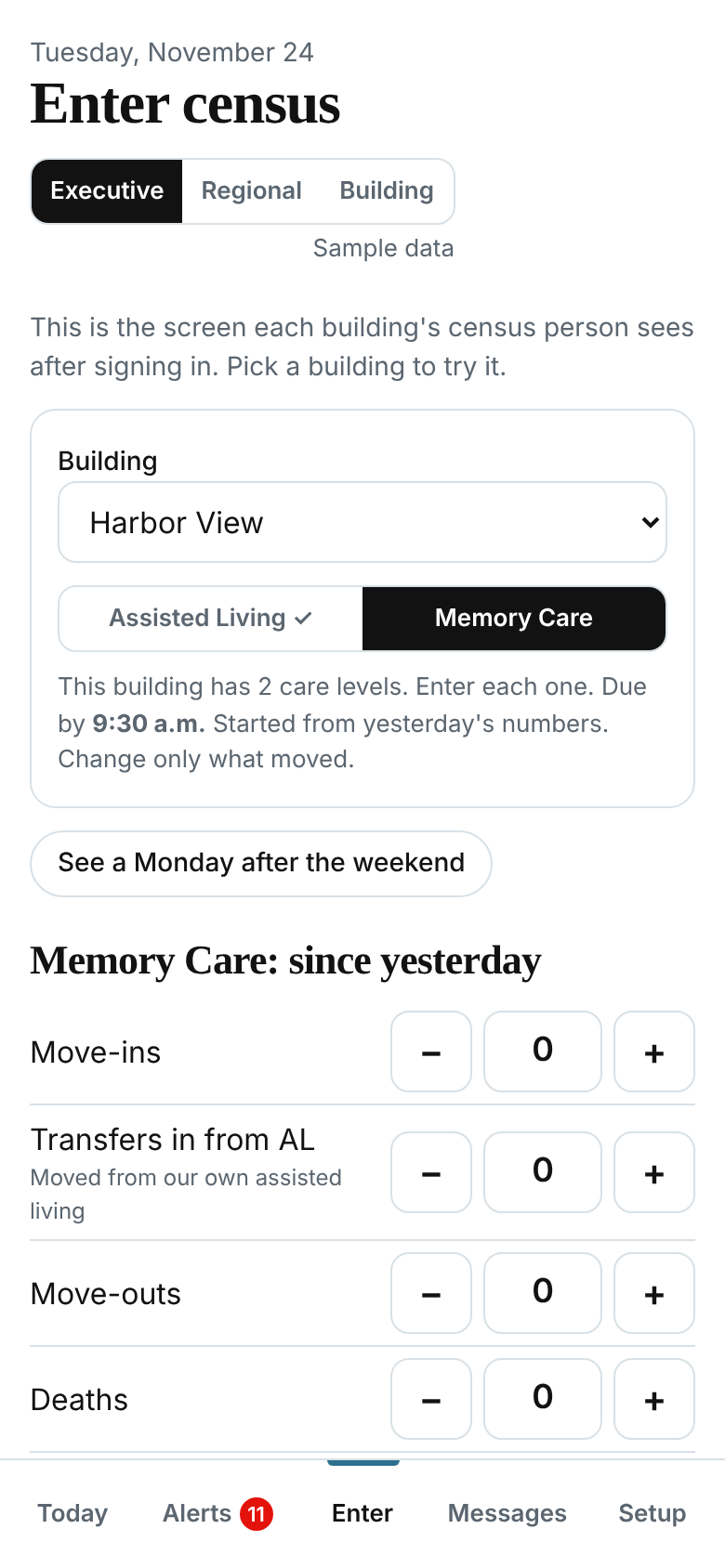
Screens show sample data.
Know My Census holds building totals only: counts by payer, ins and outs, beds and budget figures. No names, no room numbers, no medical records, and nothing to connect to your EHR.
Simple pricing, per building
Pay monthly. Add or remove buildings any time.
Census
- Daily census and occupancy by payer for every building
- Skilled, assisted living, memory care and independent living in one view
- Ins and outs, deaths and hospital transfers
- Morning text to regionals and executives
- Trend alerts: dropping, sliding, weekend losses, off pace for the month
- Weekends and holidays off, with Monday covering everything since Friday
- One tap to call the administrator
- Share the report by text or email
- Phone, iPad and computer
Census + Revenue
- Everything in Census
- Budgeted census by payer, set once a year
- Budget against actual, every day
- Priority alert, starred, when a payer falls below its budget
- Estimated revenue by payer
- Weekly check-in notes when a building is under budget
About our text messages
Know My Census text alerts are sent by Stonewell Solutions, LLC to staff of long-term care operators who use Know My Census. They are account notifications only. We never send marketing texts.
Who gets texts and why
- Regionals and executives: one morning summary of their buildings' census, plus alerts when a building has not reported, drops below budget or has residents out in the hospital.
- Building census staff: a morning reminder with a link to enter the day's numbers, and a reminder if the numbers are late.
- New users: one setup text with a link to choose a PIN, sent only after they agree to it, and one confirmation text if they turn texts on.
How people opt in
An employer adds a staff member to Know My Census with their name, role, building and cell number, after the staff member agrees to receive a one-time setup text. That text carries a link to set their PIN. When they set their PIN, they choose whether to receive ongoing texts by checking this box, which is never checked for them:
Texting is optional. Anyone who does not check the box can still use the app and see every report on screen. Anyone who checks it gets one confirmation text, then only the messages below.
Example messages
Know My Census: Gulf Coast Census 584, 91% occupied -6 since yesterday 5 of 7 buildings in Not in yet: Bayou Pines, Harbor View Watch: Oak Haven down 3.3% this week knowmycensus.com/app Reply STOP to opt out
Know My Census: Good morning, Jasmine. Please enter today's census for Bayou Pines by 9:30 a.m.: knowmycensus.com/app Reply STOP to opt out.
Know My Census: Dana Whitfield added you to Know My Census for Bayou Pines. Set up your PIN: knowmycensus.com/s/7KQ2XM Reply STOP to opt out.
Know My Census: You're signed up for census texts. Message frequency varies, usually 1 to 3 a day. Message and data rates may apply. Reply HELP for help, STOP to cancel.
Frequency, cost and stopping
- Message frequency varies, usually 1 to 3 messages a day.
- Message and data rates may apply.
- Reply STOP at any time to stop all texts. You will get one message confirming you are unsubscribed.
- Reply HELP for help, or email hello@knowmycensus.com.
- Carriers are not liable for delayed or undelivered messages.
- We do not sell or share mobile numbers or text consent with anyone for marketing.
See it with your own buildings
Built by a licensed nursing home administrator who has written the morning census email for years. Email us and we will set up a demo with your buildings.